Bring your Excel documents into CONTPAQi® Comercial without typing them in.
Import sales, inventory, collections and catalogs from Excel into CONTPAQi® Comercial, and view, print or email your stamped XML.
What's included
-
Excel imports
Sales, inventory, customers, products and collections, each with its template; everything is checked before it reaches CONTPAQi®.
-
Stamped XML
Look up your CFDI by company, view the printable version, download the XML or ZIP and email them.
-
Accounts receivable
Record payments and credit notes in batches, with the same template flow as sales.
-
Live processes
Every import is a process: follow its progress, see the totals and download the errors when it finishes.
-
Apps
Add addendas, recurring invoicing or API tokens from the marketplace, without leaving the platform.
-
Agent on your server
An agent on your CONTPAQi® server runs the imports. You connect it by following the SDK guide.
How it works
-
Connect the agent
Follow the SDK guide: generate a token and install the agent on the server where CONTPAQi® Comercial runs.
-
Prepare your template
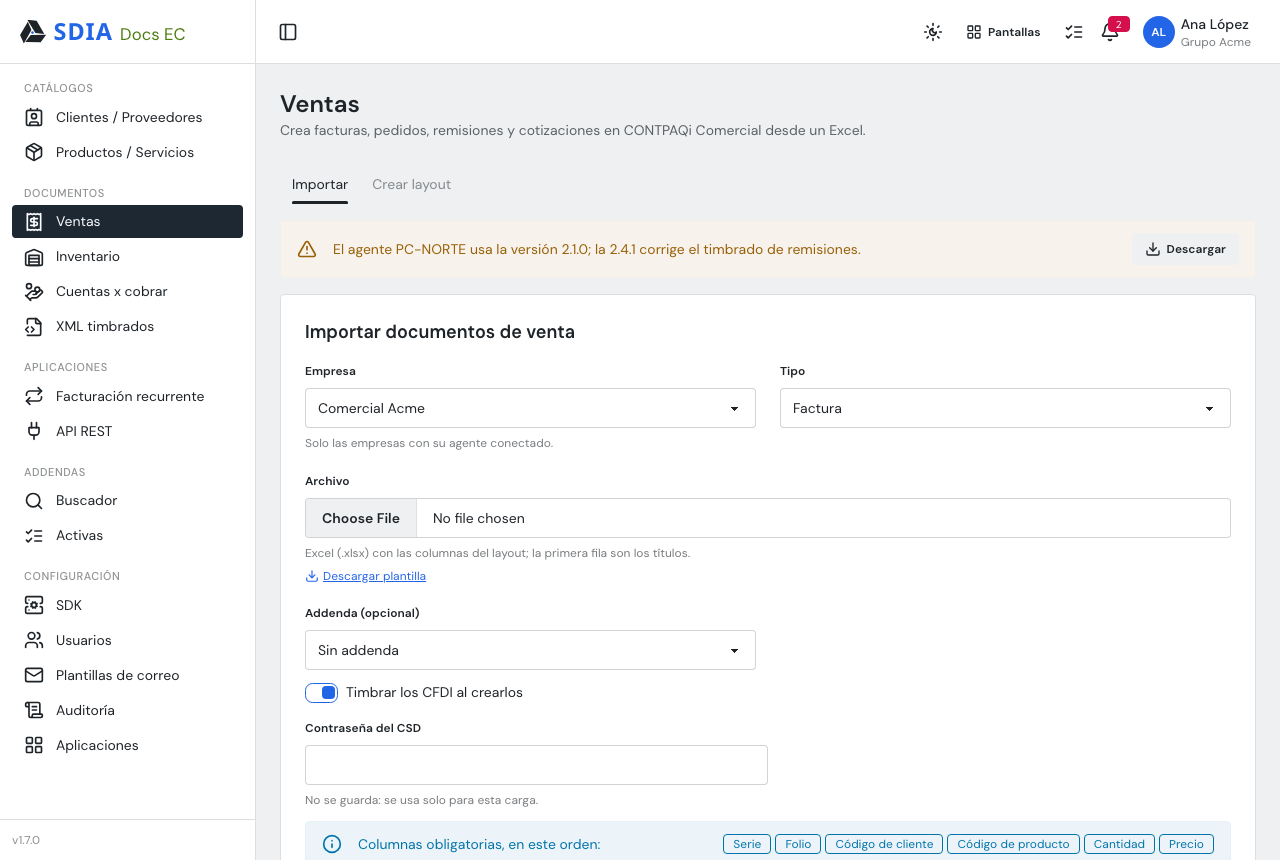
Each import has its own Excel template. Build your layout with the columns you use and download it.
-
Upload and check
Choose the company, upload the file and review the validation summary. Stamp the invoices as you import, if you like.
-
Follow the process
The process shows progress and results by company. When it finishes, download the errors to fix them.
Frequently asked questions
What do I need to get started?
CONTPAQi® Comercial on a Windows server where the agent can run, and your SDIA account.
What can I import?
Sales, inventory, payments, credit notes, customers and suppliers, and products and services.
Can I stamp invoices as I import?
Yes: turn on «Stamp» and enter your CSD password. The stamped XML are then ready to view, print or send.
What if a row has errors?
Validation tells you which row fails and why before you import, and when the process finishes you can download the errors.
Can I email the invoices?
Yes, from Stamped XML, using email templates you edit, with variables to personalize each message.
Can every user see everything?
No. Roles set which sections each person sees and what they can do, and the audit log records every action.